WinSCP Upload transfer speed limit/cap.

Advertisement

RandomInternetGuy
Joined:
Posts:
8
Location:
Internet

WinSCP Upload transfer speed limit/cap.

Problem: Same slow maximum limit/cap for any files.

WinSCP Version: 5.5.6 (Build 4746)

File sizes: ~4GB , ~300MB
File types: .7z , .mkv

Physical line: Gigabit Ethernet
iperf -s
iperf -c server.ip.address.here
[ ID] Interval Transfer Bandwidth
[ 4] 0.0-10.0 sec 850 MBytes 712 Mbits/sec
Microsoft Windows: Windows 7 Ultimate x64
Transfer protocol: SFTP-3
interface style: Commander Interface

Slow WinSCP Upload transfer speed: 4.780 KB/s

Precise steps: Drag and drop test files(see earlier info) from a fast SSD on the client desktop to server(typical HDD) by dragging from desktop to server location in GUI window.

Additional details:
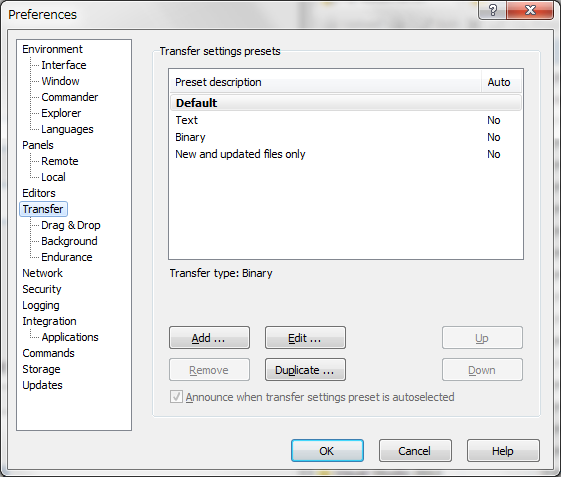
.

Reply with quote

Advertisement

martin◆
Site Admin
martin avatar
Joined:
Posts:
43,036
Location:
Prague, Czechia

Re: WinSCP Upload transfer speed limit/cap.

Thanks for your report.
What are you results using other SFTP clients (FileZilla, PSFTP)?

Reply with quote

RandomInternetGuy
Joined:
Posts:
8
Location:
Internet

Re: WinSCP Upload transfer speed limit/cap.

File Size: 1,457,835,581 Bytes.
Type: .mkv

Method: FileZilla(SFTP)
Upload speed: 8.5 MB/s
Download speed: 26.21 MB/s

Method: WinSCP(SFTP-3)
Upload speed: 4,958 KB/s
Download speed: 19 MB/s

Reply with quote

martin◆
Site Admin
martin avatar
Joined:
Posts:
43,036
Location:
Prague, Czechia

Re: WinSCP Upload transfer speed limit/cap.

Can you try 5.6.4 RC and execute it from a command-line like this?
winscp.exe sftp://user@host/ /rawsettings TcpNoDelay=1 /log=session.log
Please attach the log here.

Reply with quote

RandomInternetGuy
Joined:
Posts:
8
Location:
Internet

Re: WinSCP Upload transfer speed limit/cap.

Upload speed: ~5,150 KB/s
Download Speed: ~19,300 KB/s
  • session.log (23.53 KB, Private file)
Description: Bet your life on it.

Reply with quote

Advertisement

martin◆
Site Admin
martin avatar

Thanks for the test.
Can you please repeat the test with 5.6.4 RC to verify there are no external causes for the decrease?

Reply with quote

Advertisement

RandomInternetGuy
Joined:
Posts:
8
Location:
Internet

Ah, please, ignore the 11.5 MB/s download "downgrade", it happened because the connection to my server somehow got dumbed down to 100Mbs instead of the usual 1000Mbs.

After renegotiation to 1000Mbs, the download is back to around 19 MBs (Kind of also get the feeling the download is capped).

Regardless, the upload should have been more than 5MBs on either connection mode, so the problem with upload remains the same.

Reply with quote

RandomInternetGuy
Joined:
Posts:
8
Location:
Internet

Hey Martin.

I have tried 5.7. Unfortunately it gives the same speed as 5.6.5 RC.

Perhaps you could include a x64 version so we could confirm those assumptions?

Reply with quote

Advertisement

martin◆
Site Admin
martin avatar

RandomInternetGuy wrote:

Perhaps you could include a x64 version so we could confirm those assumptions?
It's not easy to make 64-bit version of WinSCP. We definitely aim for that, but it will take time.

Reply with quote

Advertisement

You can post new topics in this forum